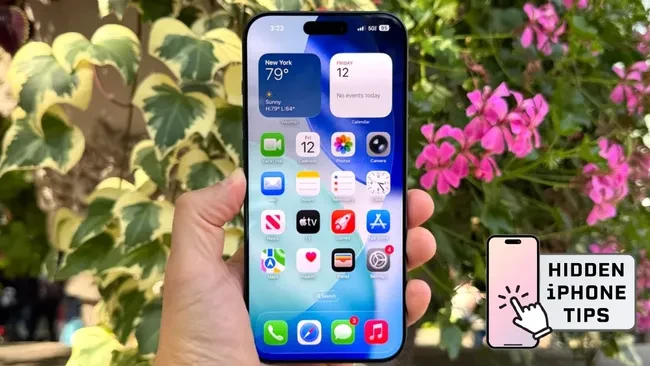
While Apple frequently highlights major iOS updates, several powerful tools remain buried within sub-menus and accessibility settings. These “hidden” features address common user frustrations, ranging from poor call audio in noisy environments to the strain of bright screens during late-night use.
Enhance Call Clarity with Voice Isolation
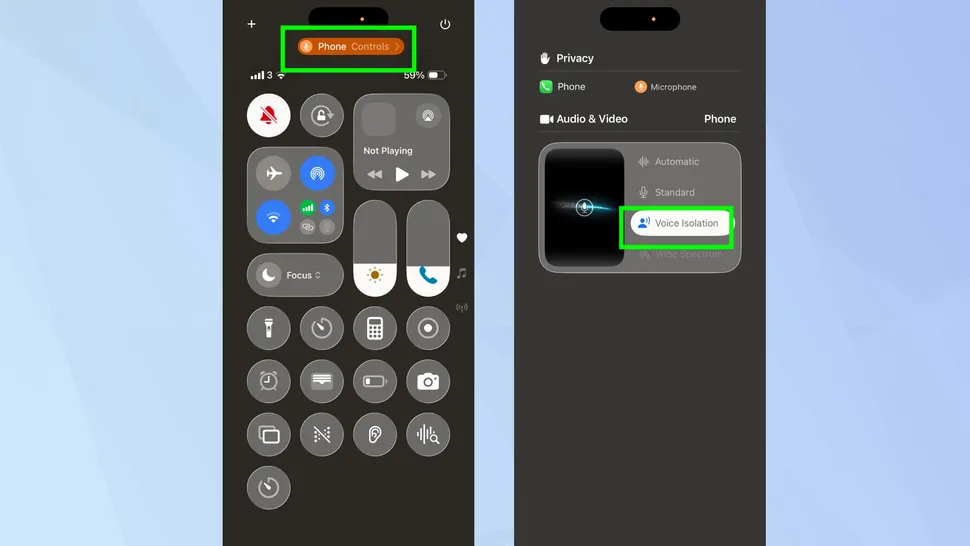


Background noise often disrupts important conversations, but a built-in iOS feature can eliminate distractions like traffic or wind. Users can activate Voice Isolation during an active call by swiping down to the Control Center, selecting “Mic Mode,” and tapping the isolation option.
This setting prioritizes the user’s voice while digitally filtering out ambient sounds. It ensures clear communication even in chaotic environments.
Advanced Screen Dimming for Night Use
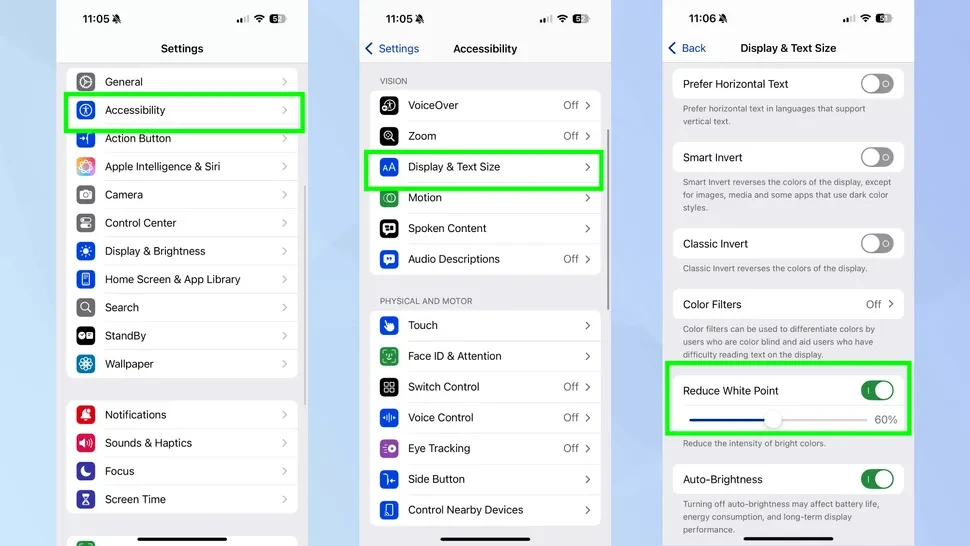
Standard brightness sliders often fail to go dark enough for comfortable reading in total darkness. To solve this, users can navigate to Settings, then Accessibility, and Display & Text Size to enable Reduce White Point.
This function lowers the intensity of vibrant colors and whites. Users can also add this to their Control Center for a one-tap solution to eye strain during late-night scrolling.
Precision Text Editing via the Space Bar
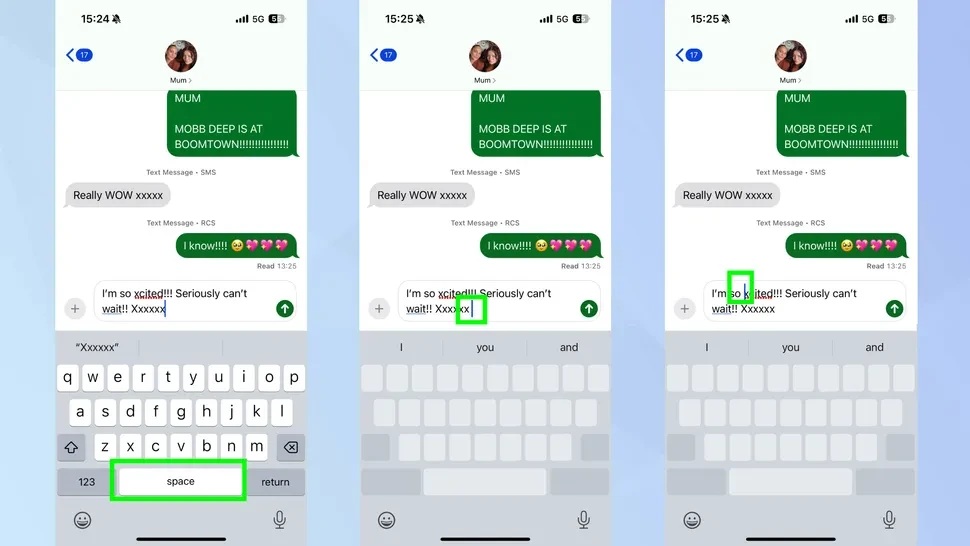
Manipulating a cursor on a small screen is notoriously difficult. Apple simplifies this through a hidden trackpad feature that most users overlook.
By long-pressing the space bar, the entire keyboard turns blank, allowing the user to slide their finger to move the cursor with surgical precision. This method provides far more control than the traditional tap and hold approach.
Built-in White Noise for Focus and Sleep
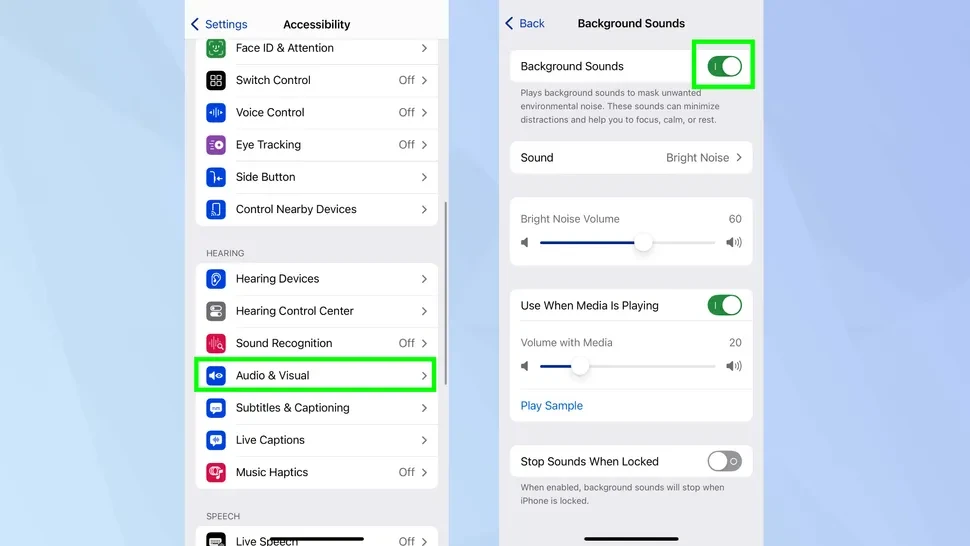
Many users pay for third-party apps to play soothing sounds, unaware that iOS includes this natively. This tool is found under Settings, Accessibility, Audio & Visual, and Background Sounds.
This feature offers high-quality loops of rain, ocean waves, and white noise. It functions as a perfect tool for masking office distractions or assisting with sleep hygiene.
Automate Messaging with Send Later
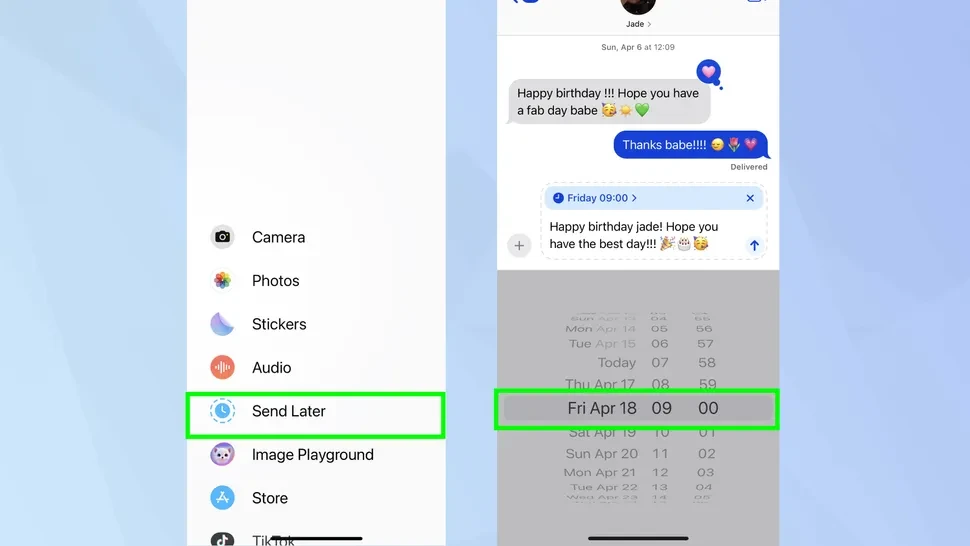
To avoid sending messages at inappropriate hours, the Messages app now includes a native scheduling tool. This ensures messages arrive at the most convenient time for the recipient.
Users can compose a text, tap the plus symbol, and select Send Later to pick a specific delivery time. This feature is ideal for sending birthday greetings or professional reminders without needing to stay awake or remember the task later.