Tech experts suggest that your smartphone is intentionally designed to monopolize your attention, but a series of strategic setting adjustments can reclaim your focus. By implementing five specific changes—ranging from clearing visual clutter to disabling the web browser—users can convert their high-end iPhones into utility-focused devices that prioritize functionality over distraction.
Minimalism Through Interface Design


Standard advice for those seeking a “digital detox” often involves purchasing a basic feature phone. However, journalists and tech analysts note that these devices frequently lack necessary modern tools, such as reliable maps or high-resolution cameras. Instead, experts recommend a middle ground: modifying the iPhone’s existing ecosystem to create “helpful friction.”
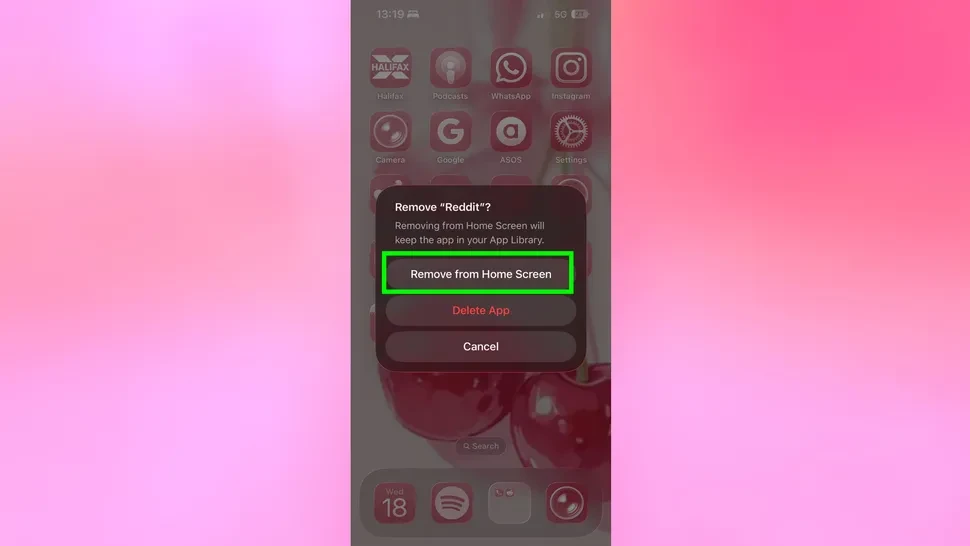
The first step involves stripping the Home Screen down to the bare essentials. By moving most applications to the App Library, users must intentionally search for an app rather than tapping it reflexively.
Silencing the Digital Noise
Notifications serve as the primary tool for apps to pull users back into their screens. To counter this, experts suggest a “scorched earth” approach to alerts. Aside from phone calls and direct messages from known contacts, almost all notifications should be silenced.
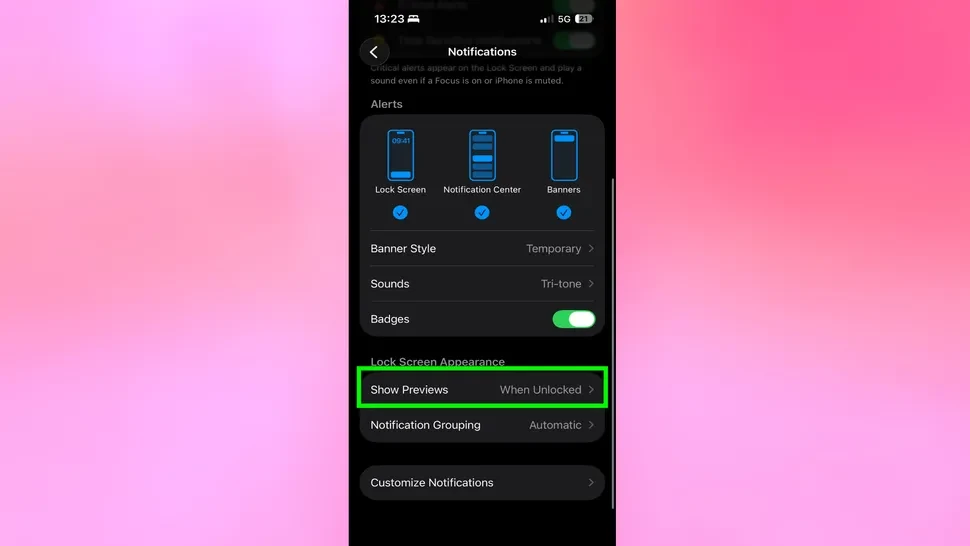
Furthermore, adjusting message settings to hide previews on the lock screen prevents the device from becoming a constant feed of incoming data. This shift ensures the user decides when to engage with communication, rather than the device demanding attention at random intervals.
Closing Mobile Loopholes
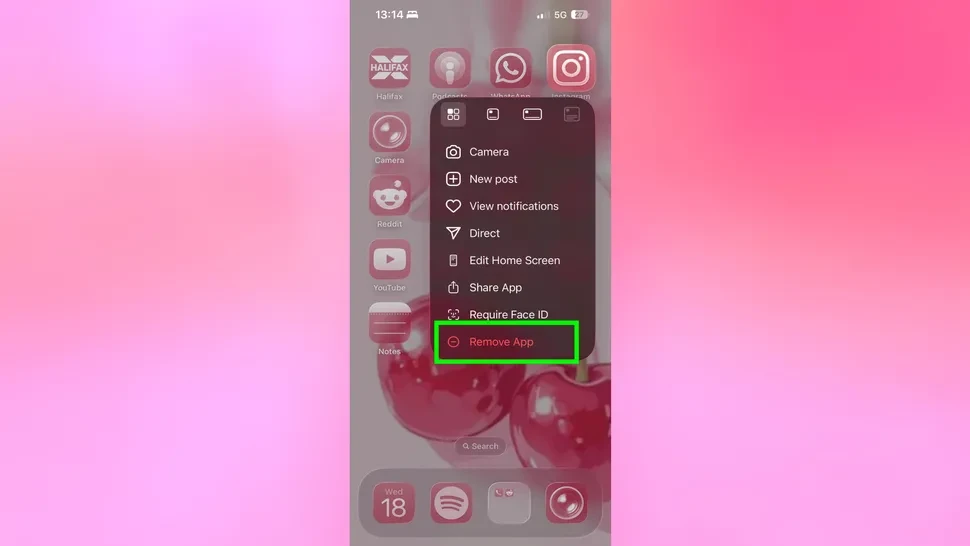
While deleting social media apps is a vital step, the mobile web browser often acts as a fallback for addictive behavior. To solve this, users can disable Safari entirely through the “Content & Privacy Restrictions” section in the iPhone settings.

While this makes spontaneous web searches more difficult, it forces those tasks onto a laptop or desktop, where browsing is typically more deliberate and less prone to “rabbit holes.”
Removing the Allure of Color
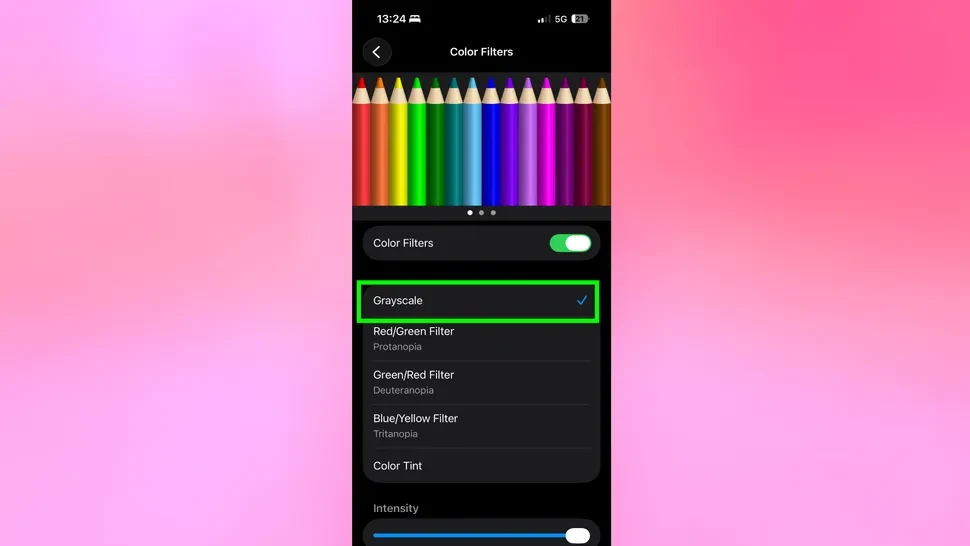
The final psychological blow to phone addiction is the removal of color. Interface designers use vibrant hues and red notification badges to trigger dopamine responses. By navigating to the Accessibility settings and enabling “Grayscale,” the entire UI becomes dull and uninviting.
When combined with “Reduce Motion” settings—which eliminate smooth transitions and animations—the iPhone loses its “lively” feel. The result is a device that feels like a tool rather than an entertainment hub.