
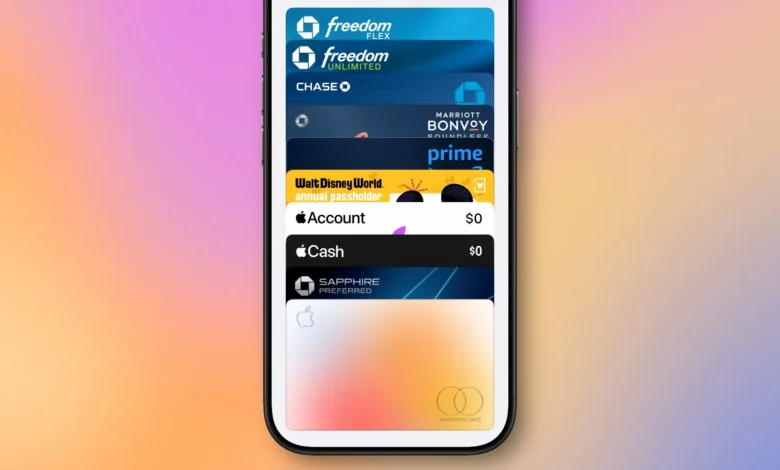
Apple has introduced a significant quality-of-life update in iOS 26 that allows users to automatically populate payment information on websites that do not natively support Apple Pay. By leveraging a new AutoFill integration within the Apple Wallet app, iPhone users can now bypass the tedious process of manually entering card numbers, expiration dates, and CVV codes.
Configuring AutoFill in Apple Wallet



- To activate this feature, users must be running iOS 26 or later. The process begins by opening the Apple Wallet app and selecting the three-dot menu icon located in the top-right corner of the interface.

- From the resulting list, select AutoFill.
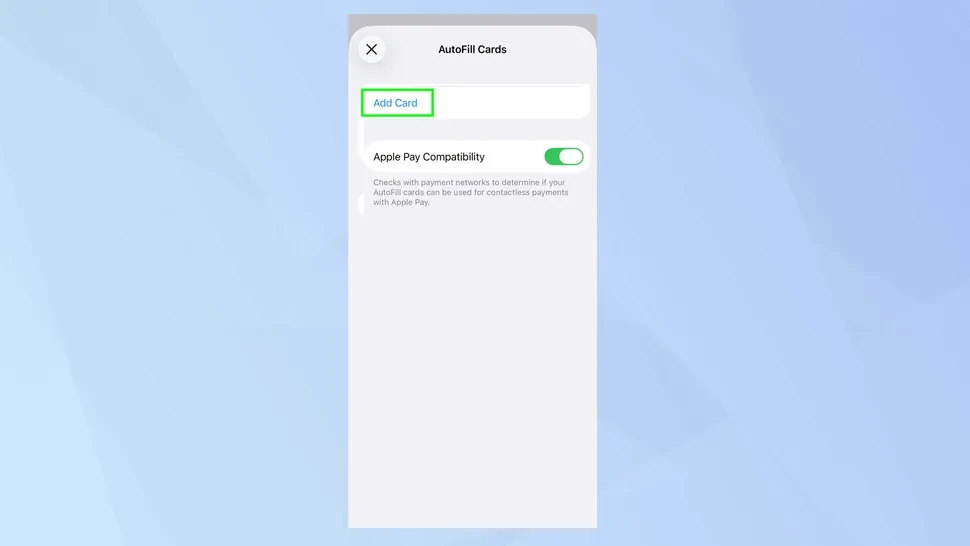
- Within the AutoFill Cards menu, users can select Add Card.
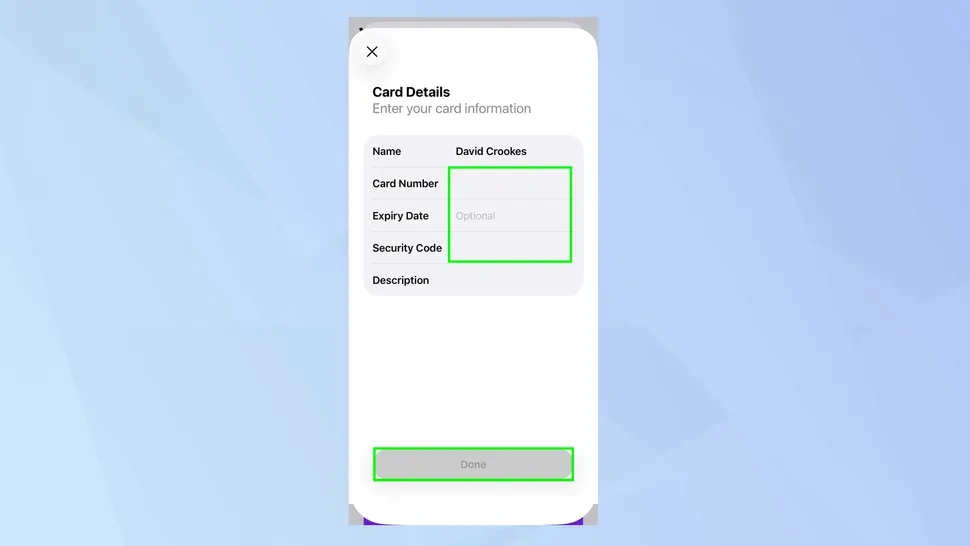
- The system then activates the iPhone’s camera, allowing for an automatic scan of a physical credit or debit card. Alternatively, users can enter card information manually. Once the information is confirmed, the card is securely stored within the operating system’s encrypted keychain.
Streamlining the Checkout Process
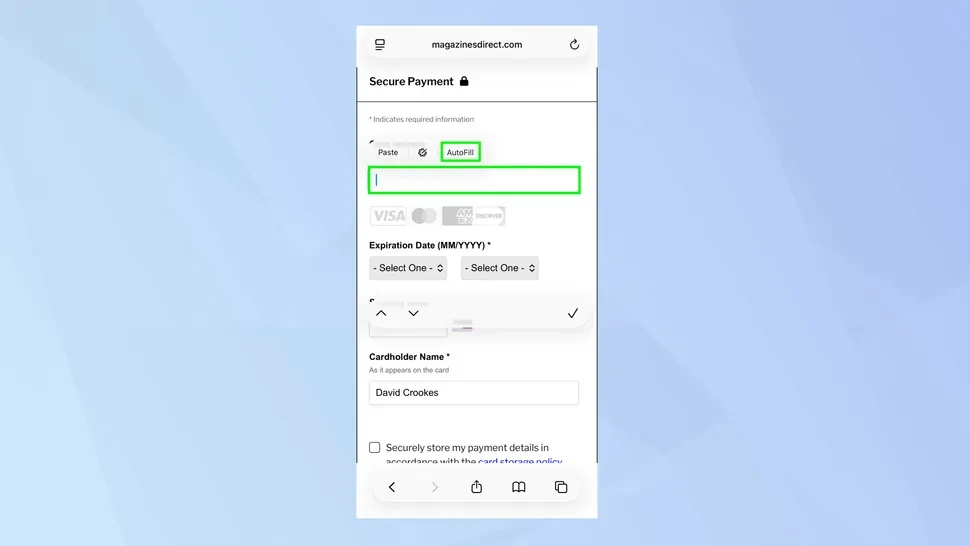
- Once configured, using the feature is intuitive. When navigating an online storefront’s checkout page, tapping on a credit card input field will trigger an AutoFill prompt.
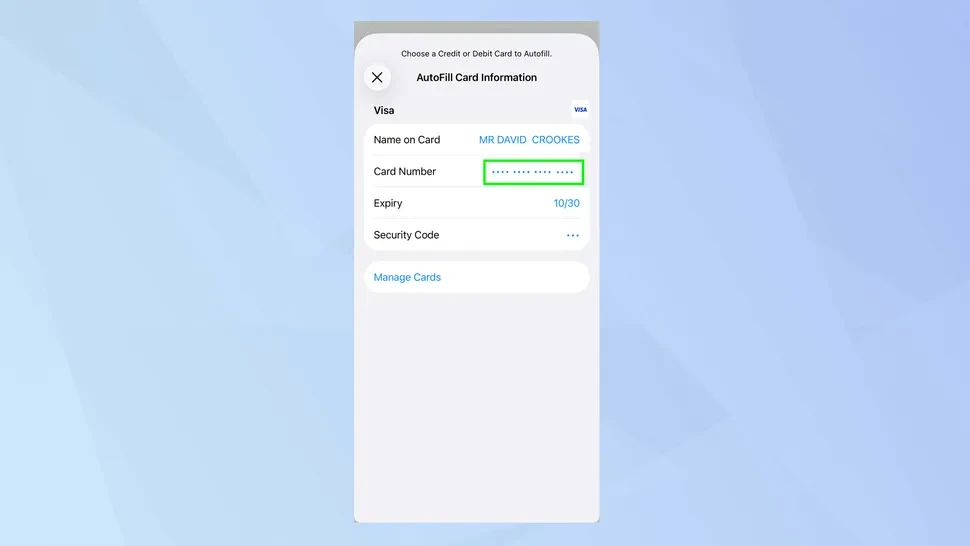
- Selecting this option opens a secure menu where the user must choose Credit Card and authenticate their identity via Face ID or Touch ID.
After successful verification, the stored card appears as an option; selecting it instantly populates the required fields. This ensures a high level of security, as the sensitive data remains hidden until the moment the owner provides biometric consent, preventing unauthorized access to financial details even if the phone is unlocked.