Moving from an iPhone to an Android device no longer requires a total abandonment of the Apple ecosystem. While Apple does not provide a native “iCloud app” for the Play Store, several official workarounds allow you to sync your emails, manage your photos, and even track lost Apple devices directly from your new Android phone.
Accessing iCloud Services via Web
The most comprehensive way to manage your Apple data on Android is through a web browser like Chrome or Samsung Internet.
- Sign In: Navigate to iCloud.com and log in with your Apple ID.
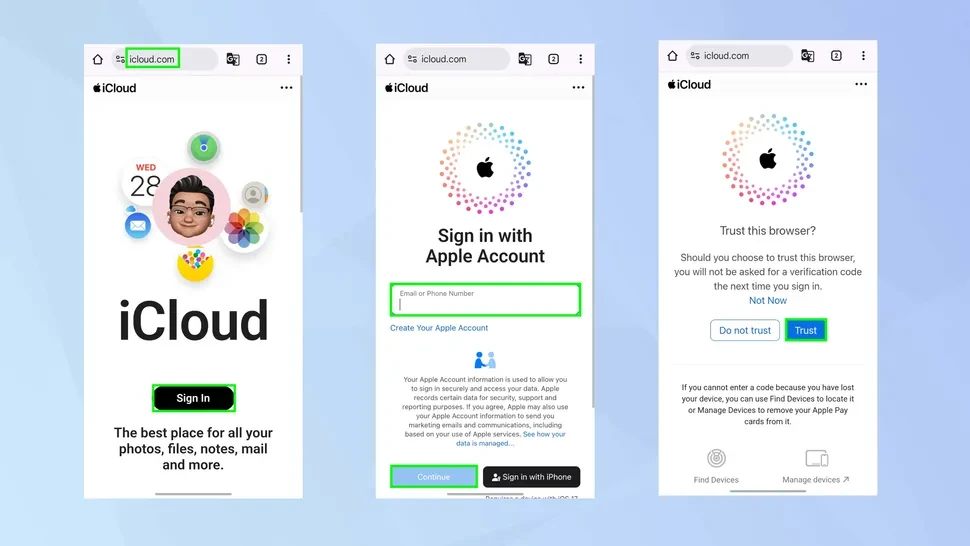
- Verify Identity: If you have Two-Factor Authentication (2FA) enabled, you will receive a code on your other Apple devices. Tap “Trust” on your Android browser to skip this step for future visits.
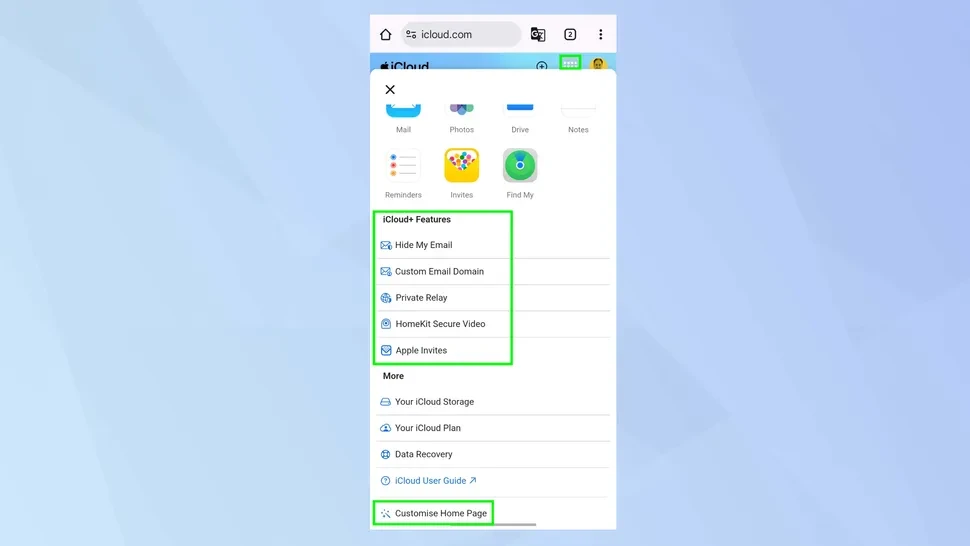
- Explore Apps: The web interface allows you to view your iCloud Photo library, edit Notes, check Reminders, and use Find My to locate a lost iPad or MacBook.
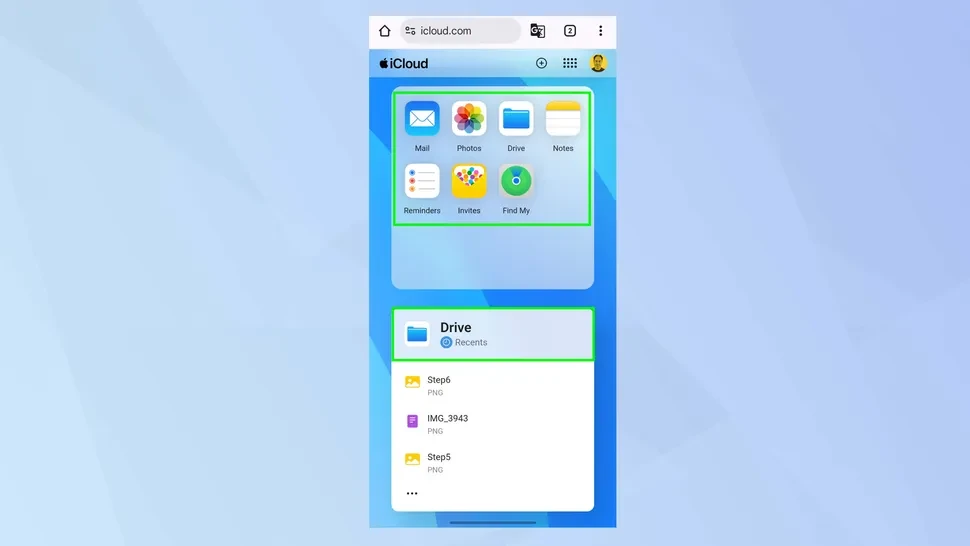
- Home Screen Shortcut: For faster access, tap the three-dot menu in your browser and select “Add to Home Screen” to create a pseudo-app icon for iCloud.
How to Sync iCloud Mail to Android
Using a web browser for email can be cumbersome. For a more integrated experience, you can add your iCloud address directly to the Gmail app or any other IMAP-compliant email client.
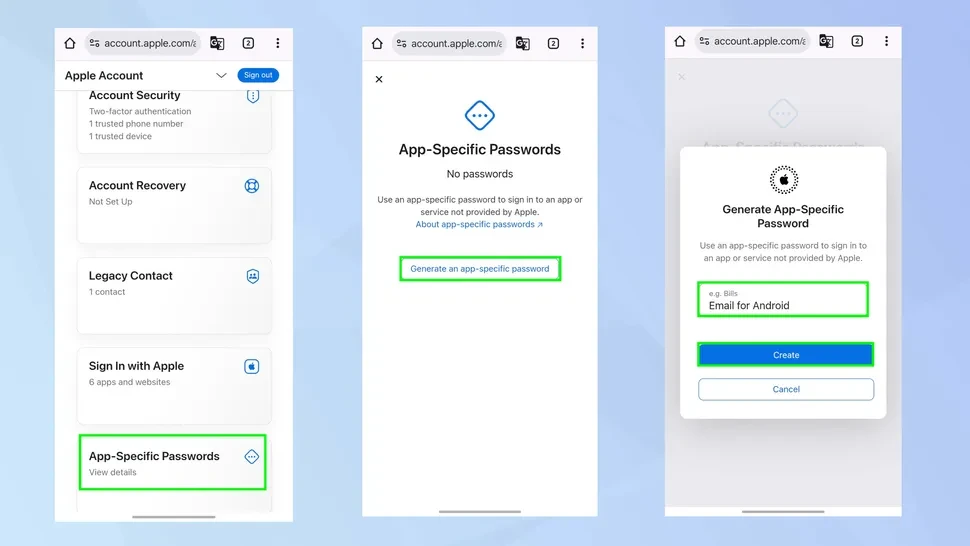
- Generate an App-Specific Password: Visit appleid.apple.com, sign in, and go to “Sign-In and Security.” Select “App-Specific Passwords” to generate a unique 16-character code.
- Add Account in Android: Open your Android Settings > Accounts > Add Account. Choose Personal (IMAP).
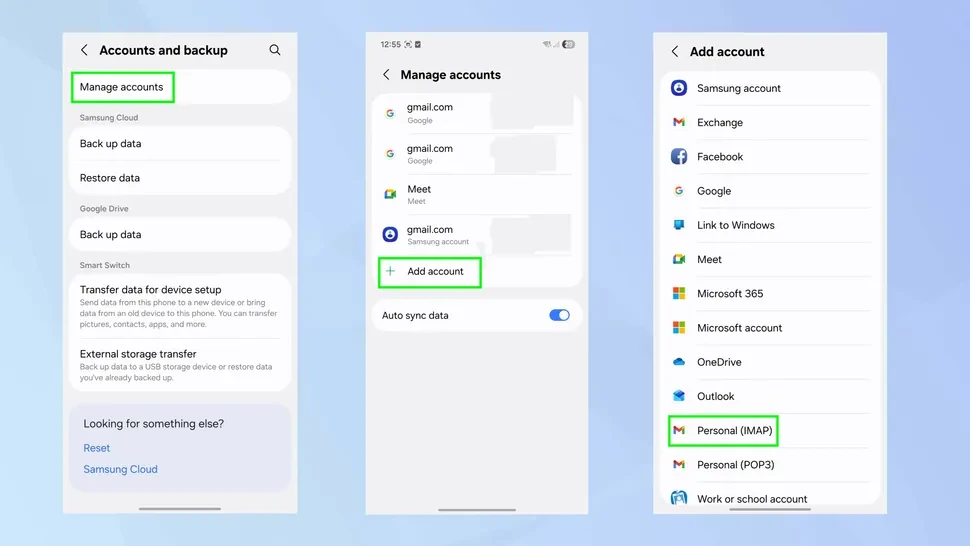
- Enter Credentials: Use your iCloud email address and the app-specific password you just generated (not your main Apple ID password).
Apple Apps on the Google Play Store
As of February 2026, Apple maintains several official applications for the Android platform. These provide a native experience that often surpasses web-based alternatives:
- Apple Music & Apple Music Classical: High-fidelity streaming with full library sync.
- Apple TV: Access to Apple TV+ originals and your purchased movie library.
- Tracker Detect: An essential security tool that scans for “Find My” compatible trackers (like AirTags) that might be traveling with you without your knowledge.