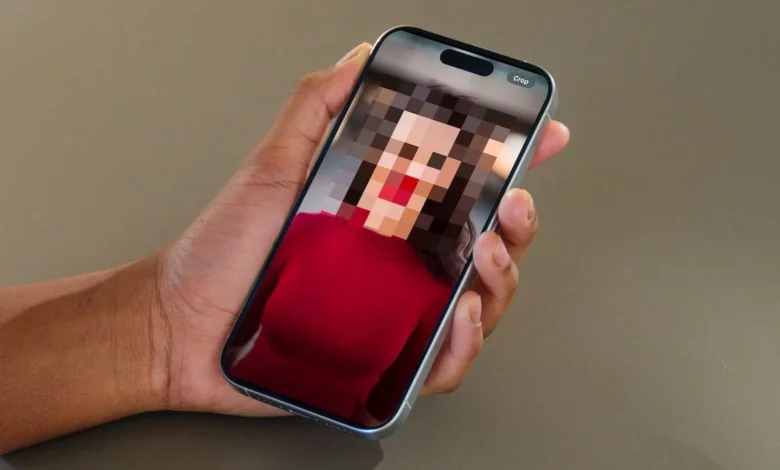
A powerful privacy feature integrated into the iPhone’s “Clean Up” tool allows users to obscure identities instantly, providing a built-in solution for protecting personal privacy in shared images. While the tool is primarily marketed for removing background distractions, its AI-driven “Identity Protection” filter recognizes human faces and applies a permanent blur with a single gesture.
AI-Driven Identity Protection
Apple has refined its “Clean Up” utility—initially designed to erase photobombers and stray objects—to include a sophisticated face-blurring mechanism. When the system detects a user attempting to edit a facial region, it shifts from its standard “object removal” mode to an “Identity Protection” mode.

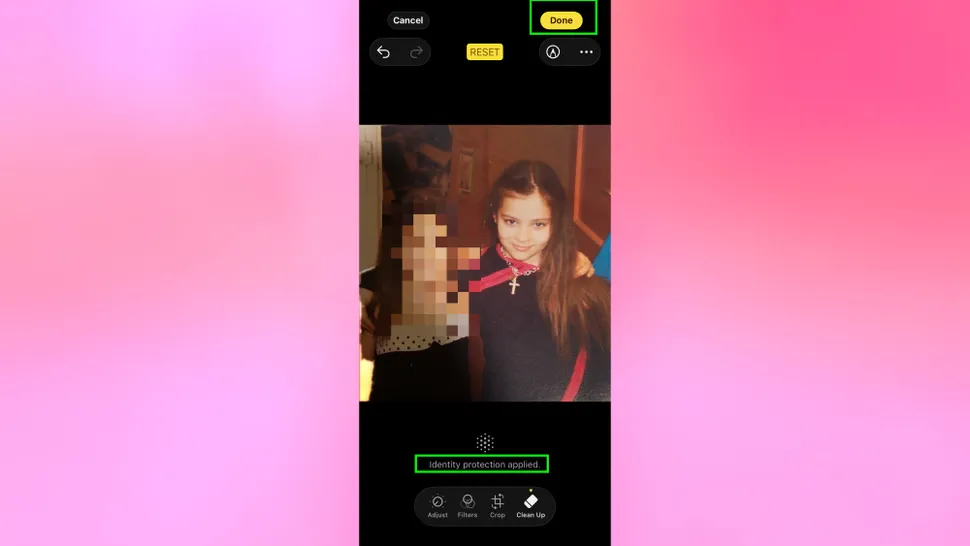
Instead of attempting to fill the space with background textures, the software applies a localized blur. This shift is confirmed by an on-screen notification stating, “Identity protection applied,” ensuring the user that the subject’s likeness has been effectively masked.
How to Mask Faces Using the Clean Up Tool
Activating the blur effect requires no specialized technical skill, as the iPhone handles the complex recognition in the background.
- Launch the Editor: Open the Photos app, select the desired image, and tap Edit.
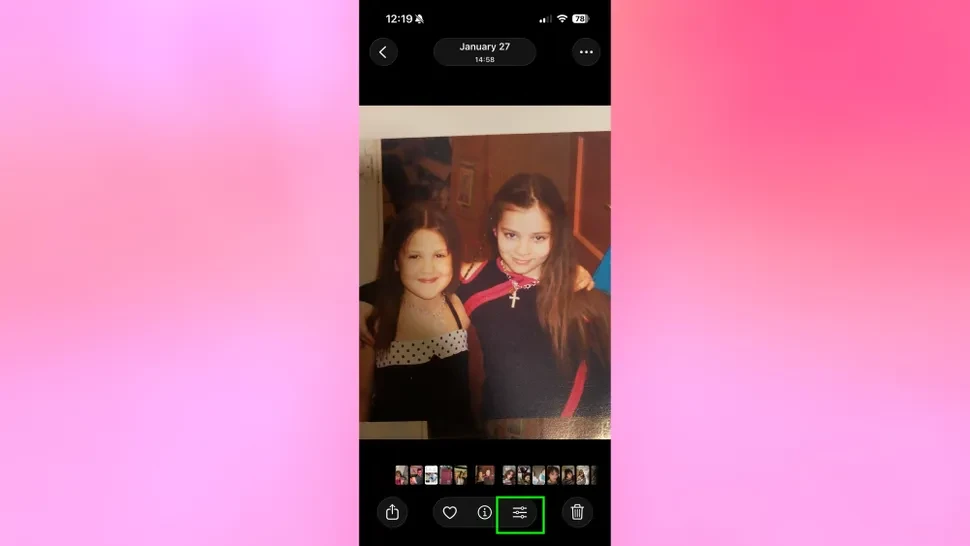
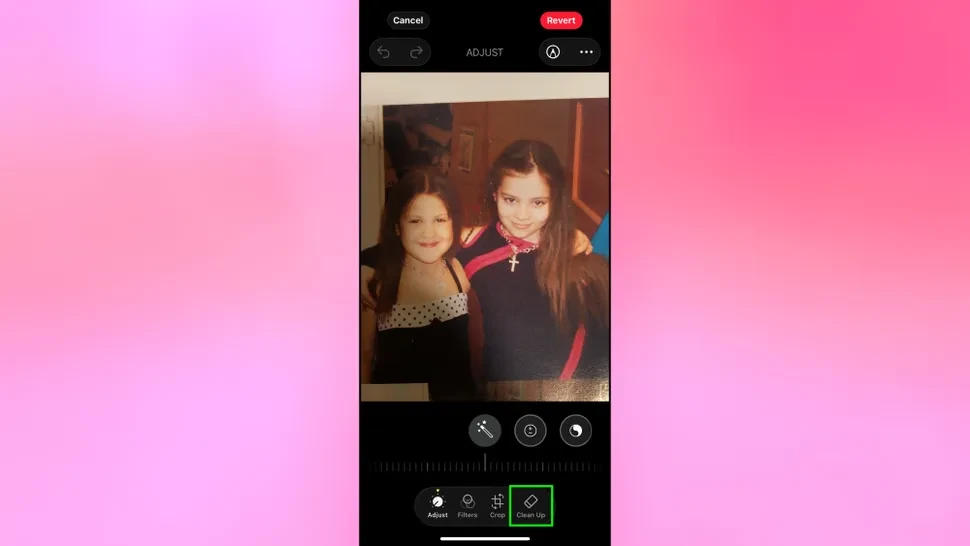
- Select Clean Up: Tap the Clean Up icon located in the bottom toolbar.
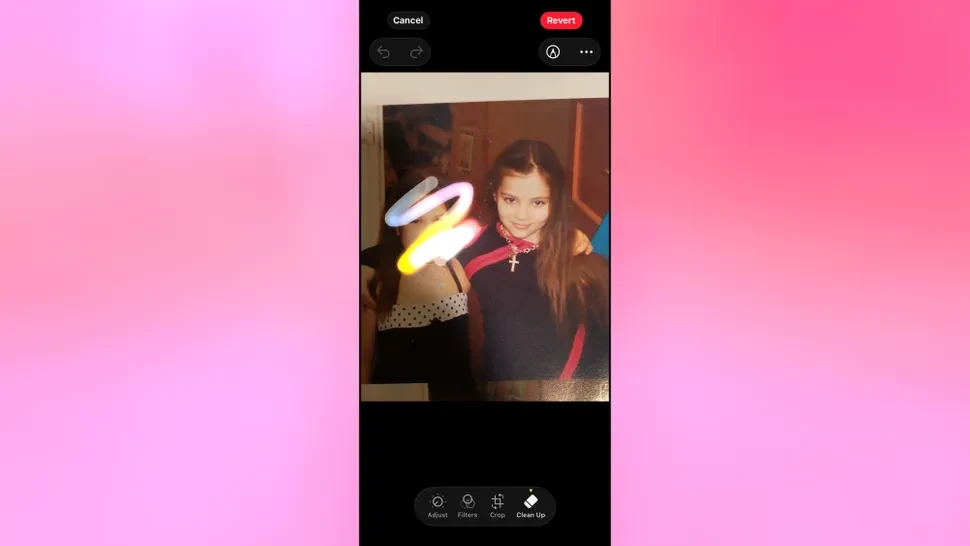
- Apply the Blur: Use a finger to roughly circle or brush over the face you wish to obscure. The AI will snap to the facial features and apply the pixelation automatically.
- Finalize the Edit: Tap Done to save the changes.
The Practicality of Built-In Privacy
This functionality is particularly beneficial for parents, activists, and event organizers who must frequently share photos while respecting the privacy of those pictured. Because the metadata and pixel data are altered during the save process, the protection is irreversible for anyone receiving the file.
However, the original sender retains the ability to “Revert” the photo to its original state on their own device, provided they still have the edited version in their library.