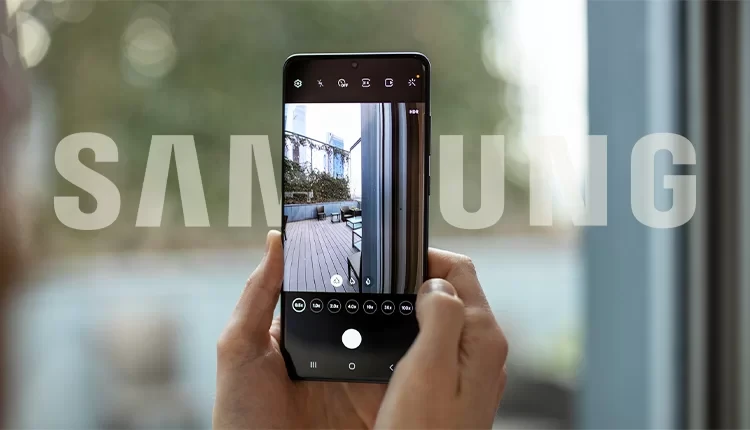
While smartphone manufacturers increasingly add dedicated hardware buttons for photography, a powerful “hidden” feature already exists on most Android devices. This software-based shortcut allows users to bypass the lock screen and launch the camera app in a fraction of a second, rivaling the convenience of Apple’s latest “Camera Control” button.
Why This Shortcut Beats the Lock Screen
Speed is the primary advantage of the power button gesture. Traditional methods—waking the phone and swiping a lock screen icon—often result in missed candid moments. By utilizing a physical double-press, the tactile feedback ensures the app is launching while the phone is still being pulled from a pocket.

Furthermore, once the camera is active, the volume keys typically function as shutter buttons. This creates a traditional camera feel, allowing for a steadier grip than tapping a digital button on a glass screen.
Step-by-Step: Activating the Gesture
While the specific menu names may vary slightly between brands like Pixel and Samsung, the general path remains consistent across the Android ecosystem.
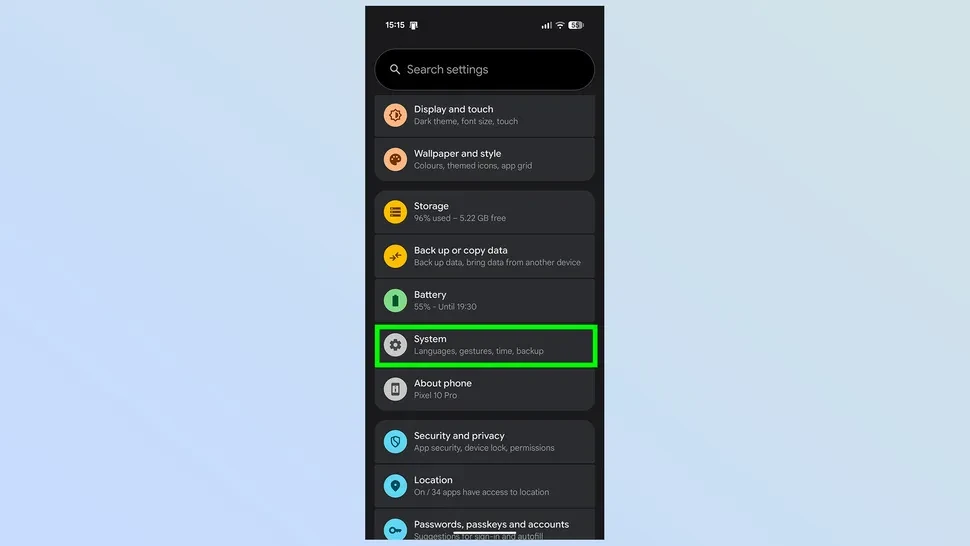
- Enter System Settings: Open your Settings app and navigate to the System or Advanced Features section.
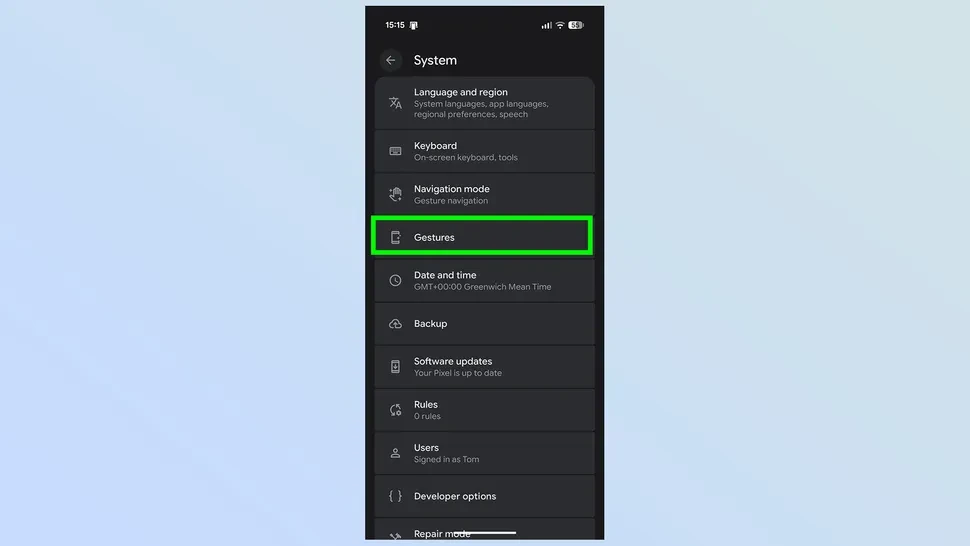
- Locate Gestures: Tap on the Gestures menu to view available motion and button shortcuts.
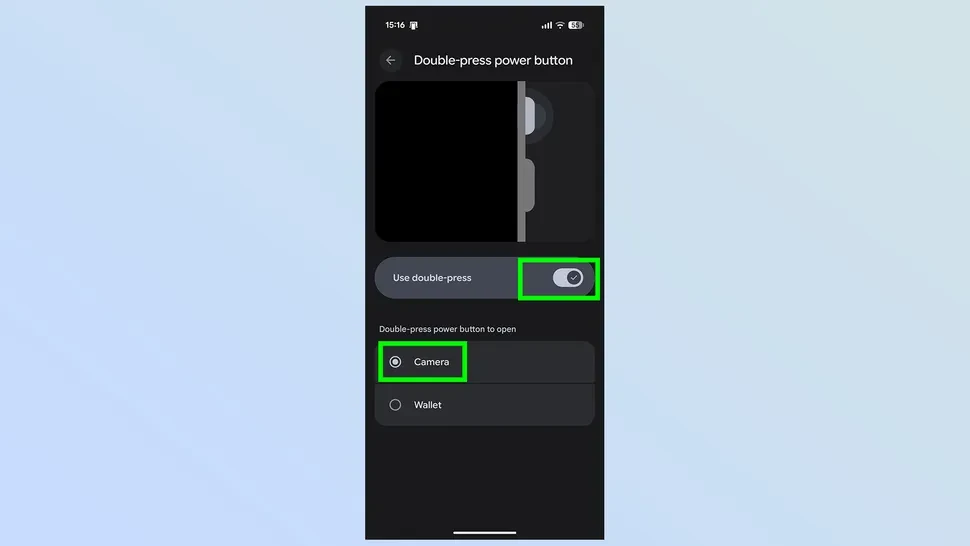
- Select Power Button Options: Look for an entry labeled “Double-press power button” or “Quickly open camera.”
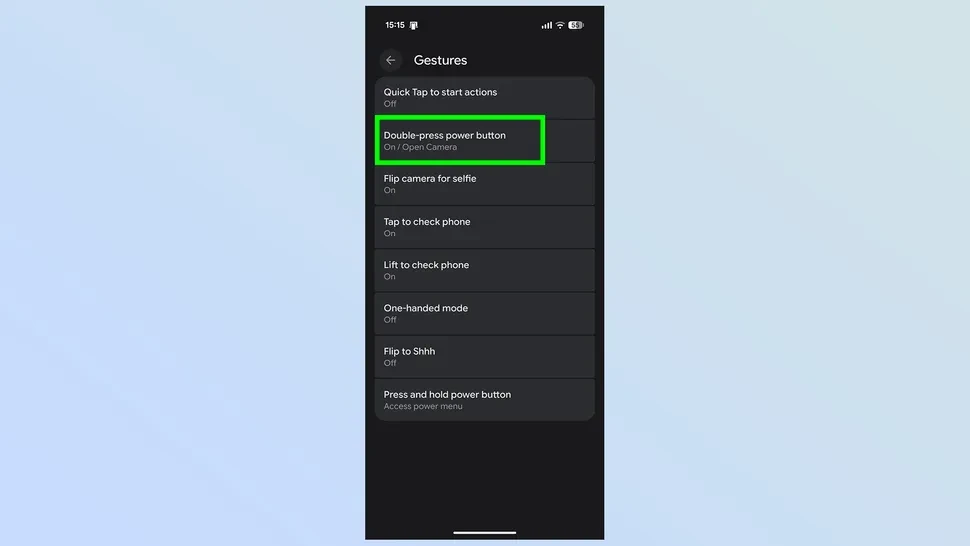
- Enable and Assign: Ensure the toggle is switched to On. If prompted to choose an action, select Camera.
Important Considerations
Using this feature while the phone is locked will allow you to take photos and videos, but it typically restricts access to the existing photo gallery for security reasons. Users may occasionally lock their device accidentally when trying to trigger the shortcut, but the trade-off for near-instant photo readiness is generally considered worth the learning curve.