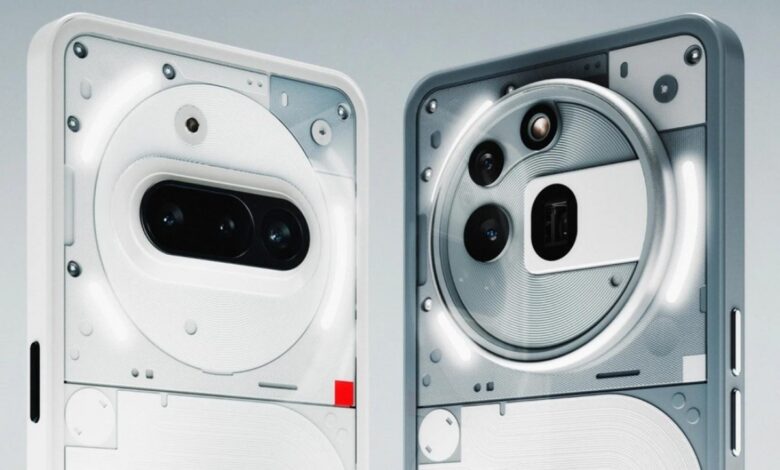
Following the recent release for the Nothing Phone (3), Nothing has initiated the stable rollout of Nothing OS 4.0, based on Android 16, to the Nothing Phone (3a) and Nothing Phone (3a) Pro models.


The Nothing OS 4.0 update introduces a range of enhancements, including new features, visual refinements, and camera improvements. A detailed changelog is provided below:
- New Features
- An AI usage dashboard has been integrated, providing transparency on large language model (LLM) usage within Essential Space. Access: Settings > Intelligence toolkit > AI usage.
- Users can now directly hide applications from both the home screen and app drawer. Hidden apps can be accessed via: Home screen > App drawer > Hidden icons.
- Search scope management is implemented within the app drawer, allowing for results filtering.
- Expanded widget size options are available for Weather, Pedometer, and Screen Time widgets.
- Most Quick Settings tiles now support a 2×2 size configuration.
- Pop-up view functionality now includes two floating icons for enhanced switching capabilities.
- System upgrades now support application optimization to improve startup performance. Access: Settings > Apps > App optimisation.
- Essential Innovations
- The Flip to Record feature has been updated to enable photo capture and note-taking during video recording, with all content consolidated within Essential Space.
- The introduction of Playground (Alpha), offering access to community-created content, including Essential Apps, Camera Presets, and EQ Profiles.
- Essential Apps (Alpha) are now available for download, featuring community-developed, AI-powered applications.
- Visual Enhancements
- Nothing application icons have been redesigned with a refreshed aesthetic.
- The status bar icons have been updated for improved clarity.
- Two new lock screen clock faces are available within Customisation.
- An “Extra Dark Mode” option has been implemented for an enhanced dark mode experience. Access: Settings > Display > Dark theme > Extra dark mode.
- Transition animations have been optimized for improved fluidity.
- Glyph Interface
- A setting has been added to configure Flip to Glyph functionality to switch to either Silent or Vibrate mode.
- Glyph Progress now utilizes Android 16 Live Update notifications for enhanced compatibility with third-party applications.
- Camera Enhancements
- Presets: The default list has been updated with new photographic styles.
- Filters: Intensity adjustment options and exclusive “Stretch” styles have been added.
- Motion Photos: Recording duration and audio capture capabilities have been enhanced.
- Watermarks: New Nothing-branded watermarks and artistic frames are available.
- Interface: The camera user interface (UI) has been redesigned with optimized interaction.
Nothing has indicated that the stable Nothing OS 4.0 update is initially rolling out to a limited number of Phone (3a) and Phone (3a) Pro users. A wider rollout will be initiated contingent upon the success of this initial release phase.
Nothing Phone (3a) Pro
It is recommended that users update Essential Space to the latest version to fully utilize the enhanced Flip to Record feature. Furthermore, backing up user data prior to installing the Nothing OS 4.0 update is advised.
Nothing Phone (3a)
Source